City Scape
Bringing people closer to the artwork around them.
The problem
Bristol is one of the UK's street-art capitals, but the experience of encountering it is shallow. People walk past a piece every day with no way to know the artist, the story, or the meaning behind it. For emerging artists, that means little recognition for work seen by thousands.
There is no engaging, centralised way to discover, learn about, and appreciate the street art in your area. City Scape sets out to close that gap between the art on the wall and the technology in your pocket.
Research and insights
The concept grew out of three strands of research, each one shaping a specific design decision.
- Bridging the online and offline experience of street art (Hall, 2016). The Katoomba self-guided art walk showed that digital tools deepen community engagement and understanding, which pointed straight at a location-aware, on-site app.
- Gamification in mobile apps (Paula, 2021). The Duolingo case study showed how levels, progress, and rewards drive people to come back. That directly informed the collection mechanic at the heart of City Scape.
- User-centred design principles (Garrett, Norman, ISO 9241-210) underpinned an iterative process: research, prototype, refine.
- Bristol's own scene, from the Aardman mural to a strong self-guided tour culture, made it the ideal proving ground and the first city in the app.
Design process
I worked from rough ideas towards a polished prototype. After brainstorming and settling on the core concept, I built low-fidelity wireframes to test layout and user flows early, then developed a high-fidelity Figma prototype with the refined UI and full branding.

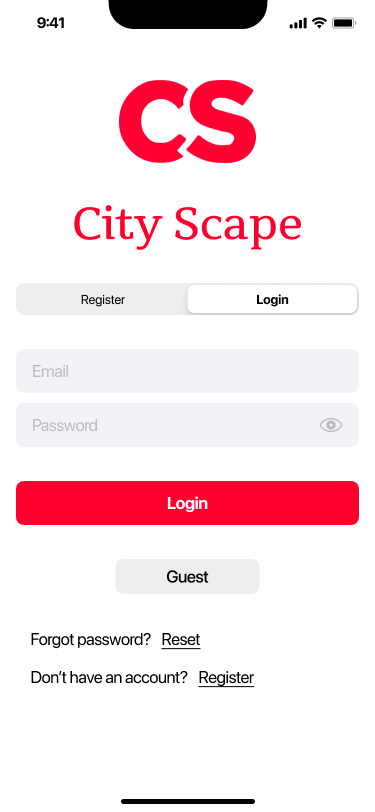
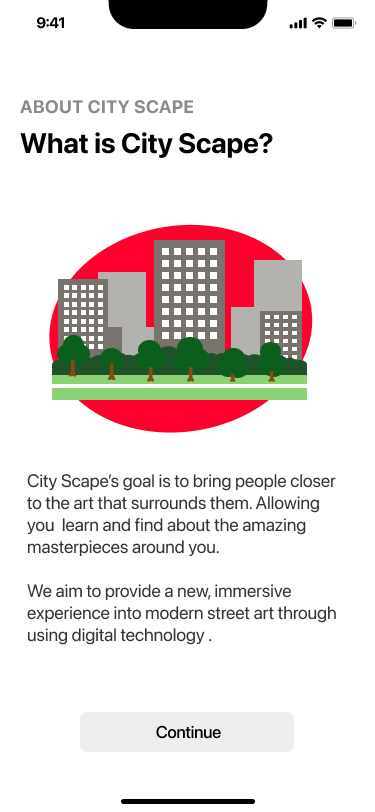
The prototype kept onboarding deliberately light, so someone can get to the art quickly:
Feature walkthrough
Four features carry the experience, each built around a real moment: spotting a piece, learning its story, collecting it, and finding the next one.
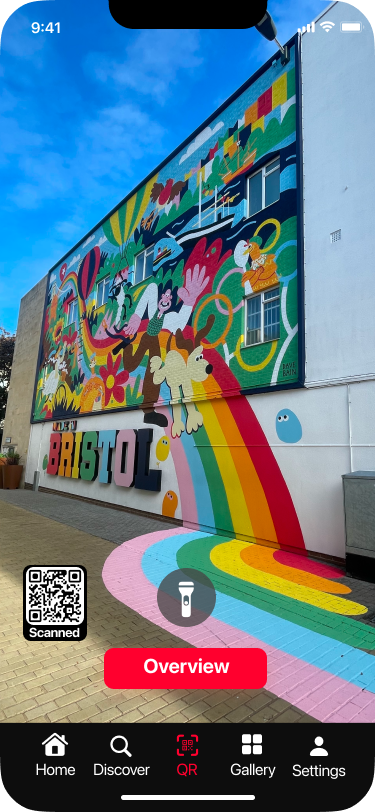
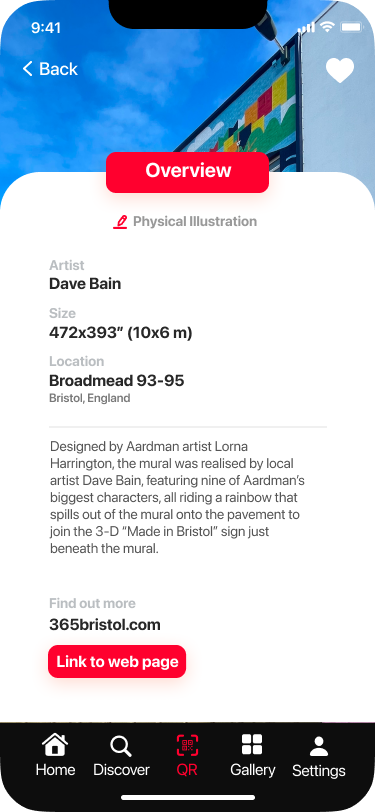
Scan to discover
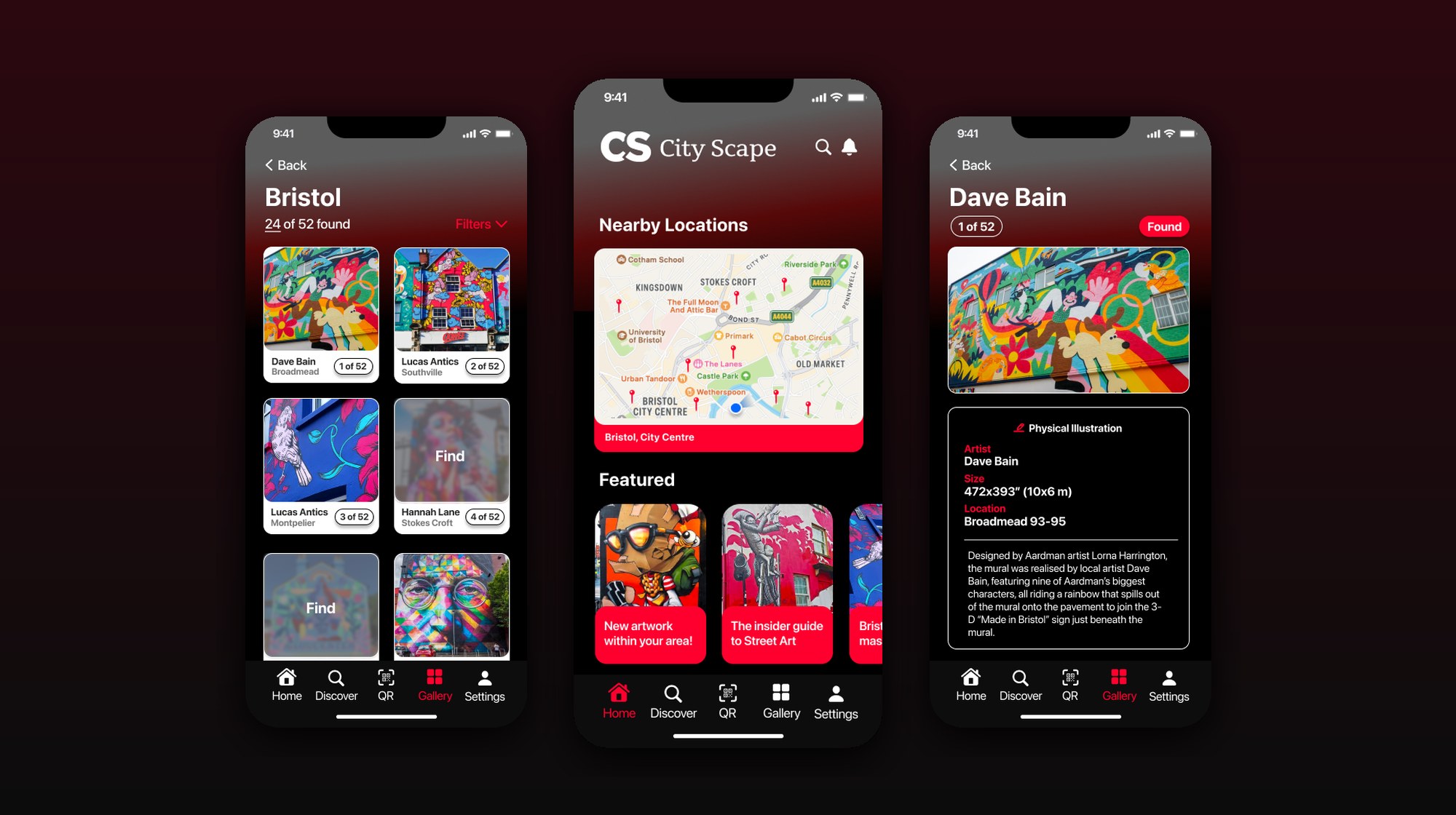
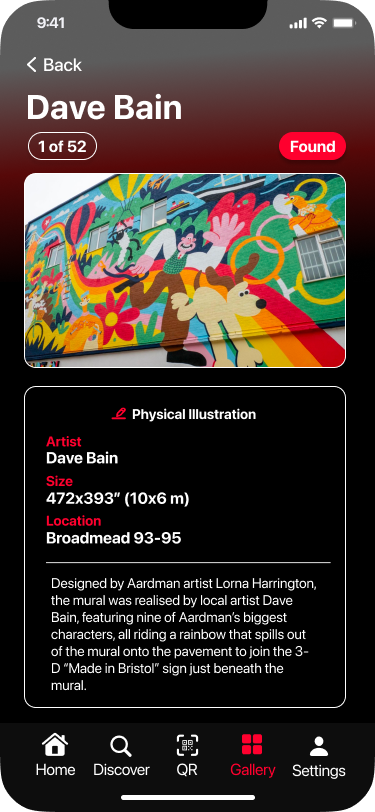
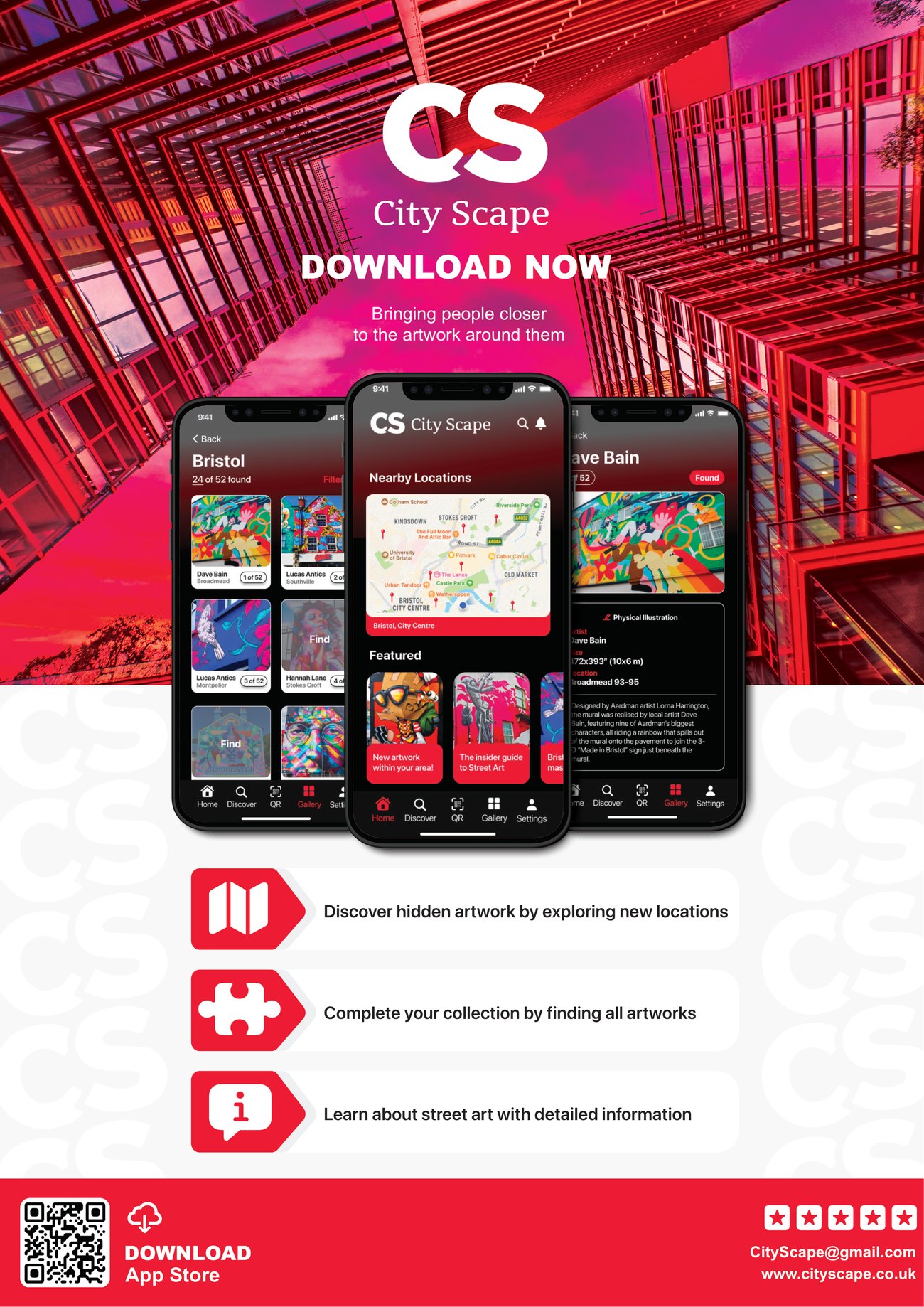
The core interaction. Scan the QR code on a piece and City Scape unlocks the full story: the artist, the dimensions, the location, and the meaning behind the work. It answers the exact question people have when they stop in front of a mural and realise they know nothing about it.
Collect and complete
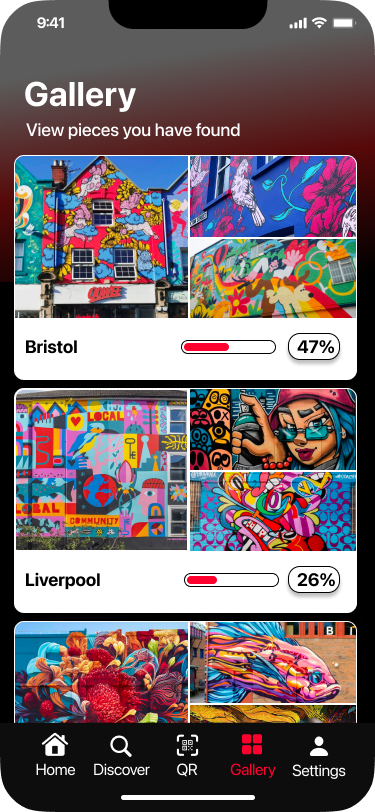
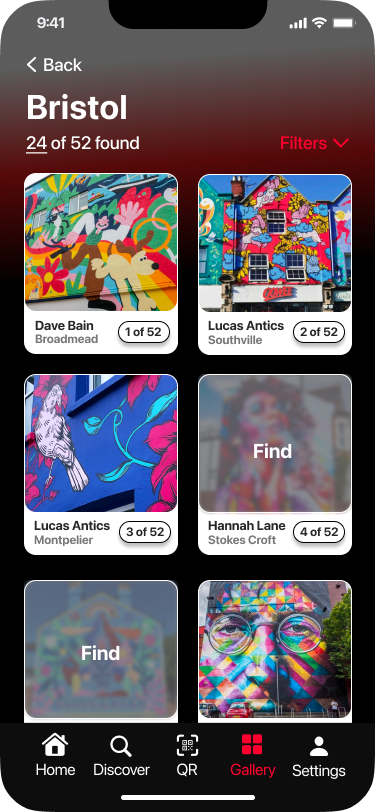
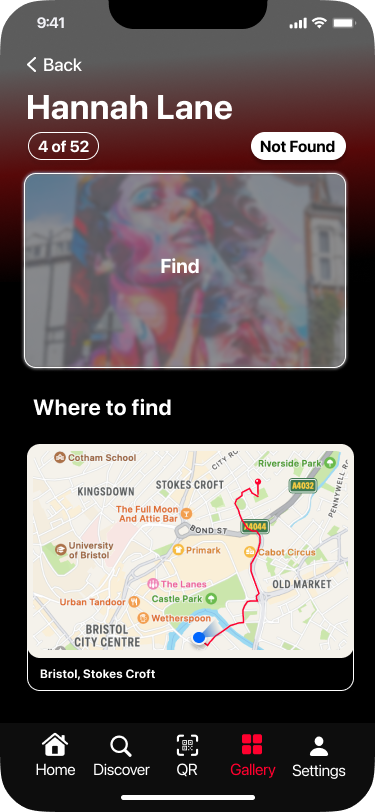
Every piece you find is added to a personal gallery, with a completion rate for each city. In the prototype, Bristol sits at 47% and Liverpool at 26%. Found pieces show in full, undiscovered ones stay blurred with a "Find" prompt. It is the Duolingo-style loop from the research, turned into a reason to keep exploring.
Find new pieces
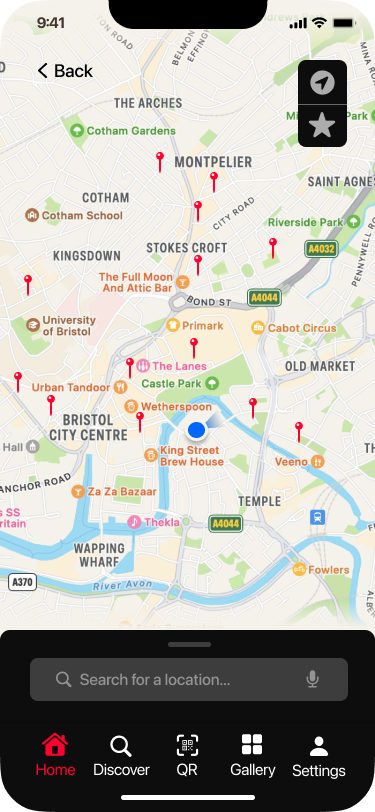
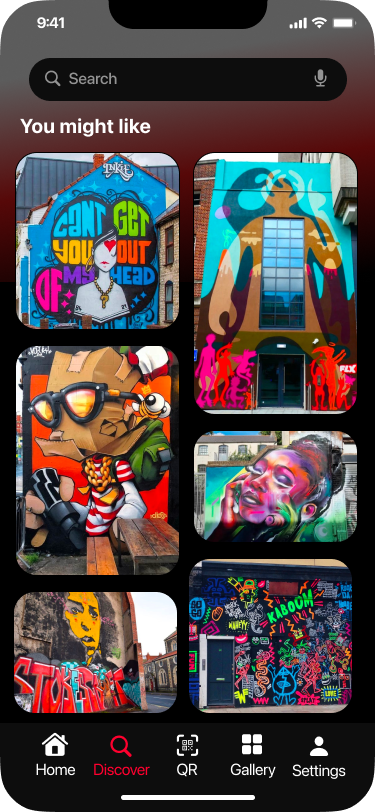
A map of nearby pieces helps people plan a route and stumble onto art they would have missed, while a "You might like" feed keeps surfacing fresh pieces to go and find.
Artist profiles
Named artists get their own space, with their work and details. Found pieces like Dave Bain's show in full, while ones still to find, like Hannah Lane's, stay locked behind a "Where to find" route. It gives emerging artists real recognition: the app celebrates the people behind the walls, not just the walls.
Brand identity
City Scape has a complete, confident brand: a bold "CS" monogram, a sharp red, and a clean system designed to let colourful artwork sit against solid blocks of colour.
- #FF002EPrimary
- #0D0D0DNear-black
- #3D3D3DAccent grey
- #F2F2F7Neutral
- #EEEEEENeutral
- #FFFFFFBase
A few principles from the style guide keep it consistent: solid colour blocks behind colourful art, a soft fade at the top of pages for contrast, and centred, focused segment layouts.
Outcomes and reflection
A complete, brand-consistent prototype
A high-fidelity Figma prototype that meets the design brief, from onboarding to artwork detail, with a full brand behind it.
A gamification loop grounded in research
The collect-and-complete mechanic came straight from the Duolingo study, not a hunch, giving people a real reason to keep exploring.
A model that scales city by city
The structure works per city, with Liverpool already sitting alongside Bristol in the gallery.
Where it goes next
- Build it as a functional app, taking the prototype into real code.
- Wire up a real QR and artwork backend so scanning works in the wild.
- Partner with artists and councils to map and verify pieces.
- Run user testing at scale to validate the collection loop and discovery.